Keeping something private on the internet comes with some challenges, but a smart process can help. Private live streaming gives you control over who accesses your content, so you can sell tickets and host private virtual events without worrying about who might show up.
In this article, you’ll learn what the biggest challenges of private live streaming are, how to address them, and which private video streaming services offer the security and features you’ll need to run a successful stream.
What’s private live streaming?
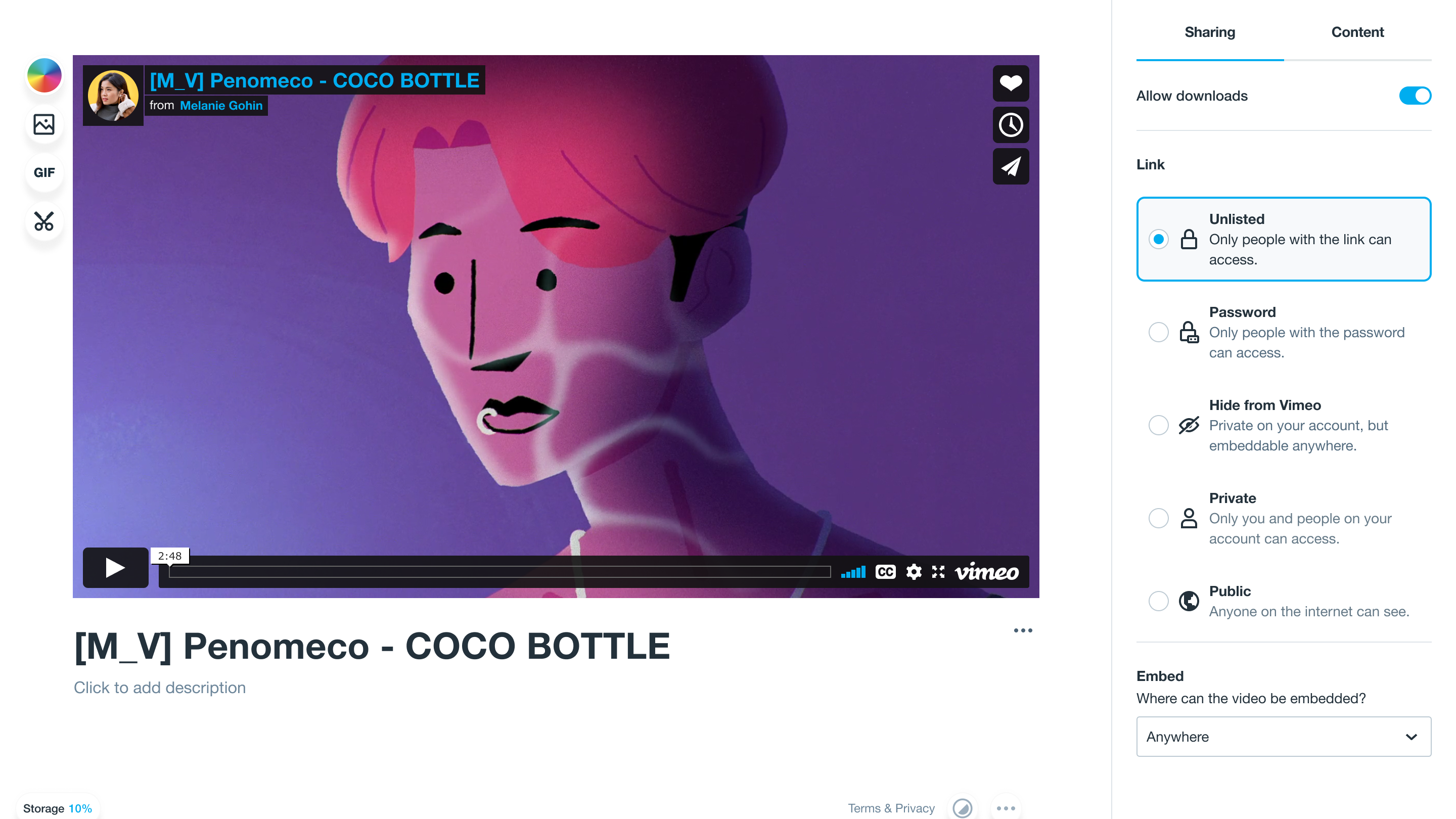
Private live streaming means broadcasting live or pre-recorded video to an invite-only audience. It’s not the same as unlisted videos, which anyone can access with the right link. Instead, private live streams use access controls like passwords, email authentication, or token-based links to ensure that whoever is watching was invited.
Why private live streaming matters
Restricting access to your livestream isn’t just for monetization purposes. Some kinds of video streaming require certain measures to ensure viewers have legitimate access, like in industries like finance, legal services, and healthcare, where companies must comply with regulations like HIPAA and corporate policy for protected client information. Private live streaming puts those measures in place.
Here are some common reasons organizations restrict access to their video content that show just how versatile private live streaming is:
- Corporate communications: Host all-hands meetings, investor briefings, or hybrid webinars, and keep out strangers who could gain access to sensitive company data.
- Education and training courses: Sell access to tutorial videos or stream a curated lesson plan to students who’ve signed up for a specific class.
- Premium and paid events: Offer exclusive virtual access to individual viewers so they can be part of your online or hybrid event.
Key security features for private live streaming
Not all private streaming platforms offer the same level of security, and if your content is particularly sensitive, you’ll need to choose the right one. Even if you don’t need to fully lock down your stream, adding at least one security feature can protect your video privacy and proprietary information.
Here are the most important security features to look for on video hosting platforms.
Password protection
Password protection is the most basic form of live stream security. Viewers must enter a unique password to access and watch the broadcast.
Some platforms offer more password customization features than others. For example, with Vimeo, you can set unique passwords for different links to the same live stream, allowing you to segment your audience as needed (and track who’s actually showing up, or who might’ve leaked access).
Geographic and domain restrictions
Geographic restrictions, also known as geo-blocking, prevents your content from being played in certain regions. This helps you comply with local censorship regulations and ensure viewers are coming from only specified countries. Domain restrictions, on the other hand, prevent your live stream from getting embedded elsewhere. When you apply geo-blocks and domain restrictions, you get to control where viewers watch your videos physically and digitally.
Authorizing viewers through encryption
Encryption secures your live stream by scrambling its data as it passes from your recording software to your live streaming platform and, eventually, to the audience. Similar to a password, only authorized viewers get the encryption key needed to unscramble the data. Secure live streaming services like YouTube and Vimeo use a combination of protocols, such as RTMPS or SRT and AES encryption, to protect video feeds along the way.
DRM
Digital rights management (DRM) is an added layer of copyright protection. When you enable DRM, users can’t record or download your video. That’s a crucial protective layer for monetizing content, where you need to ensure you’re the only legitimate source selling it, or meetings where you discuss sensitive information.
Simplify compliance and security with Vimeo →
How to set up a private live stream in 4 steps
Setting up a private live stream means putting measures in place to prevent unauthorized access, then using standard streaming protocol to go live. Exactly how that process works depends on your streaming and recording software, but here are four broad steps to help you get started.
1. Choose your platform
Start by finding a video hosting platform that offers the private streaming features you’ll need. For example, if you’re monetizing your live streams, authorizing viewers through encryption is a must, but some hybrid events can get away with just using password protection. Meanwhile, DRM and geo-blocking are useful in every case involving copyright (including playing copyrighted songs and video clips) and regional censorship regulations.
2. Configure your privacy settings
Set up your chosen privacy settings through your streaming platform, and make sure you’ve paid for access to all the features you need. Go into settings and set up all the privacy settings necessary for your stream. Then, use a different device than the one you’ll stream from to test your setup and check if the privacy you think you need is enough for your use.
3. Set up your stream (RTMP and bitrate)
If you’re using external encoding software, connect it to your hosting platform using a stream key and RTMP URL. Then, configure your settings in your encoding software to balance connection speed with video quality. A bitrate between 3,000 and 6,000 Kbps is usually enough to broadcast crisp 1080p videos to a wide audience.
4. Test and go live
Run a test stream using a range of devices at least a week in advance to ensure everything works properly and comes through clearly. Check the video quality, latency, and access controls thoroughly; you don’t want to have to troubleshoot at the last minute.
If everything checks out, you’re ready to go live.
Best private live streaming platforms
These private live streaming platforms offer the best security controls for your video broadcasts.
Vimeo
Vimeo is the best all-around live streaming platform. It supports all the security features we’ve mentioned, along with intuitive privacy and access controls. It also offers an adaptive bitrate that can help you squeeze even 4K videos into the smallest possible form for broader accessibility. Unlike public platforms like YouTube, Vimeo offers a customizable, ad-free video player that’ll enhance every stream.
The $12/month Starter plan comes with basic security features like password protection, but for the full suite of private streaming tools, opt for the $75/month Advanced tier. Vimeo also offers a customizable Enterprise package for larger organizations that need even more control.
Try a Vimeo trial →
Dacast
Dacast offers up to 1080p HD video broadcasting protected by domain and geographic restrictions, RTMP, and passwords. They only offer DRM for on-demand videos, however, so you’ll need to integrate with a separate tool like Google Widevine or Apple FairPlay to add DRM to your live streams. Dacast’s features are locked behind a significant paywall: You’ll have to sign up for the $165/month Scale tier for access.
IBM Video Streaming
IBM Video Streaming is an enterprise-grade solution with all the security features we’ve mentioned, along with API access, a customizable video player, and a registration page. Every tier offers the same package, but prices scale with your viewership. This makes IBM’s streaming platform a better option for organizations and content creators who cap their streams at specific viewer counts (like educators teaching workshops with a set roster of students) and don’t record the stream for future viewing.
The $154/month Silver tier caps total viewer hours at 100 per month. You’ll need to upgrade to Gold ($773/month) or Platinum ($1,550/month) to increase that limit to 2,000 or 5,000 viewer hours, respectively.
Brightcove
Brightcove is another enterprise-grade video streaming platform with a range of security features, from password protection to geo-blocking controls. It offers more than most teams will need, as it’s designed for enterprise organizations with thousands of employees spread around the globe.
You’ll pay for Brightcove’s scale and level of detail: There are no public pricing details available, but users report spending up to six figures annually for access.
Kaltura
Kaltura is an AI-enhanced video hosting and streaming platform that’s best for corporate events, training videos, and higher education programs. It generates AI agents that interact with students or employees in real-time during live streams or videos on demand. Security features like password protection, encryption, and DRM come standard in most of their plans, which you can mix and match based on your organizational needs.
Prices vary significantly between features and plans, but you’ll pay separately for each major feature. For example, their Virtual Classrooms have four tiers at separate price points (Basic at $17/month, Pro at $50/month, Business at $115/month, and Business Custom with unique quotes), but none of those tiers cover features included in either plan for Webinars (which start at $250/month).
Launch a private streaming service with Vimeo →
FAQ
Can I monetize my private live streams?
Absolutely. All you need to monetize private live streams is a way to collect payments, distribute private links, and protect your video content from duplication. A simple paywall combined with DRM and custom access controls will get you started, but for more complex setups, you might want to add viewer authorization and geo-blocking. Vimeo Live offers all these features in its $75/month Advanced plan.
What’s the difference between a private and an unlisted stream?
A private stream is access-restricted in some way so viewers can only watch it if they have a password or encryption key, or if they’re in the correct area. An unlisted stream isn’t protected in the same way; it’s just not listed in a public video index. Viewers won’t be able to find it with search engines like Google, but they can still access the video if they have the correct URL.
Do I need technical experience to set up a private live stream?
Not necessarily. Most private streaming software comes with intuitive controls that’ll help you get up and running with minimal effort. However, enterprise-grade tools like IBM Video Streaming and Brightcove require complex setups that are best handled by a dedicated IT team.
Why Vimeo is the right platform for private live streaming
Vimeo Live is a comprehensive package of private live-streaming features that covers every use case. It offers intuitive access controls, reliable broadcast-quality streaming, and a customizable viewing experience, all for a fraction of the cost of other streaming platforms.
Try Vimeo Live for free with a seven-day trial of the Advanced tier and explore all its features to see if it’s the right fit. For larger organizations, contact the sales team, who can tailor an Enterprise plan to your company’s needs.