An impactful or viral-worthy video can begin with a simple idea, but bringing that idea to life requires a clear plan for what your audience will hear, what they’ll see, and how it all fits together. Learning how to write a video script gives you a roadmap to follow when it’s time to hit record.
If you’re a beginner, the process of writing a video script doesn’t need to be complicated. This tutorial walks you through it, step by step, with a practical video script template and tips to keep your script sounding natural.
What’s a video script?
A video script is a document that maps out and organizes the dialogue and action that will happen on screen. In addition to actors’ dialogue or narration, a video script can include visual directions, actions, graphics, sound effects, music, and other cues necessary to produce the creator’s vision.
Video scriptwriting also gives everyone involved one source of truth to work from throughout the video production process. Speakers know what they need to say, the production team knows what to capture, and editors have a clearer picture of how the pieces should come together. Even for a beginner, the process of writing a video script can help fill narrative gaps or eliminate unnecessary information before shooting begins.
A script is different from a storyboard or shot list. The script focuses on the on-screen content and how the video unfolds. Creating a storyboard helps visualize each scene, while making a shot list identifies the individual shots you need to capture.
Video script template: What should you include?
Video scripts should outline what’s happening visually in each scene alongside what the audience will hear. For most videos, you can begin with the template structure below and add more production details as necessary.
| Scene or section | Dialogue or voiceover | Visuals or on-screen direction | Audio cues |
| Hook and introduction | Opening line that gives viewers a reason to keep watching | Opening shot, screen recording, text, or graphic | Music or sound cue |
| Main content | Key information, instructions, or dialogue | Supporting footage, product demo, graphics, or on-screen text | Audio cue, if needed |
| Summary | Briefly reinforce the main takeaway | Supporting visual or return to speaker | Music, if needed |
| Outro and CTA | Tell viewers what to do next | CTA text, URL, button, logo, or end screen | Outro music or sound |
Your main content can include as many scenes as your video needs. Give the on-screen talent, behind-the-scenes production crew, and video editor enough information to understand how the words and visuals work together.
Here’s a video script example for a marketing team creating a 90-second software product tutorial:
| Scene or section | Dialogue or voiceover | Visuals or on-screen direction | Audio cues |
| Hook and introduction | Need to get a project update to your team without scheduling another meeting? Here’s how to record and share one in a few minutes. | Open on the product dashboard, then highlight the recording tool. | Light music fades under voiceover. |
| Tutorial 1 | Select “Record,” choose the screen or window you want to share, then begin your recording. | Cursor selects “Record” and chooses a screen to share. | Interface click sounds, if used. |
| Tutorial 2 | When you’re finished, stop the recording and add a title so your team knows what they’re about to watch. | Stop recording, then type a title into the video details. | Voiceover only. |
| Summary | Now your update is recorded and ready to share. | Show the finished video page. | Music returns softly. |
| Outro and CTA | Copy the link and send it to your team when you're ready. | Highlight the “Share” button and copy the link. | Music fades. |
This isn’t a complete script for the final 90-second video, but the template provides enough structure to see how the spoken script, screen recording, audio, and call to action fit together.
See how Vimeo makes video editing easier →
How to write a video script in 7 steps
If you’re interested in how to write a script for a video, the basic template structure provides a solid foundation to build from. The following seven steps for the writing process continue the same example of a marketing team creating a 90-second software product tutorial.
1. Define your goal, audience, and core message
Before writing, clarify what the video needs to accomplish and who it’s for. Those decisions also shape your approach to video storytelling, including what you emphasize and how you communicate to the audience.
For the product tutorial example, the goal is to show existing users how to record and share a project update. Being able to sum up the video’s core message in one sentence is a useful indication that the script is succinct and organized.
2. Choose the video format and target length
Video format and length shape how much your script can comfortably cover. A quick product tutorial video moves at a different pace than a customer testimonial or longer training video.
People often speak at around 120 to 150 words per minute, though that varies by speaker and subject, and what viewers will see can eliminate the need for some spoken explanation.
3. Create an outline before writing
Before worrying about exact wording, map out the flow. Our 90-second product tutorial example only needs a few beats:
- Introduce the problem.
- Show how to record the update.
- Explain how to share it.
- Give viewers their next step.
You don’t always need to script every word. Talking points can work well for someone who’s comfortable with the subject, while a tightly timed tutorial usually benefits from a detailed script.
4. Craft a strong hook and introduction
Give viewers a reason to stay without spending too long setting things up. In a tutorial, that can be as simple as naming the problem you’re about to solve.
“Need to get a project update to your team without scheduling another meeting? Here’s how to record and share one in just a few minutes.”
That’s enough to engage viewers and get the tutorial underway, so you can move straight to the first step.
5. Write the main script the way you speak
Writing for an audience’s ears is different from writing for the page. If a line feels overly formal or awkward when you say it out loud, rewrite it.
“Navigate to the recording interface and select your desired display source” may be an accurate instruction, but few people actually talk that way. “Select ‘Record,’ then choose the screen or window you want to share” is easier to say and easier to follow.
For a beginner, reading lines aloud during the process of writing the script can catch formal or clunky wording early.
Keep your script on screen while you record with Vimeo’s teleprompter →
6. Add visual, audio, and CTA cues
Now, match the words to what’s happening on screen. For example, when the voiceover says “Select Record,” viewers should be able to see the cursor selecting the recording control.
Your video script can also note where music, graphics, or other audio and visual elements belong. For the outro, our CTA could be: “Copy the link and send it to your team when you’re ready.” It follows naturally from the tutorial, rather than sending viewers somewhere unrelated.
7. Read the script aloud, time it, and revise
Run through the entire script at a comfortable, natural speaking pace. If you stumble over a sentence or instinctively say something different than what’s on the page, the written version likely needs another pass.
Timing will show you where to cut or add content. If a 90-second script takes 2 minutes to read, remove repeated explanations and anything the visuals make clear.
Reading through your script out loud helps visualize the final product while checking that the introduction sets up the video, the main section delivers what you promise, and the summary or outro leaves viewers knowing what to do next.
Write, record, and refine your script with Vimeo
Writing a video script begins with knowing the audience you’re addressing, what you want to say, and how the words and visuals will work together. Once you have that foundation, Vimeo helps you move from the first draft to the finished video.
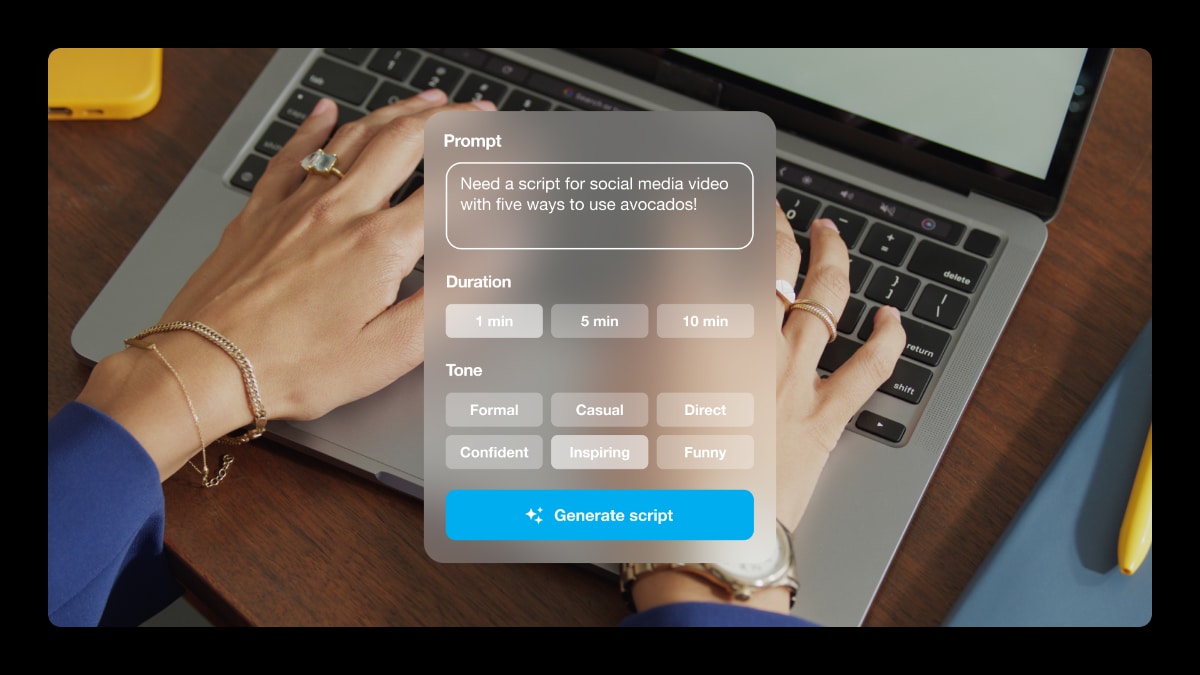
Vimeo’s AI script generator can create or refine a draft, then prepare your script for use with a built-in teleprompter during shooting. After principal photography, text-based editing lets you modify the video by updating the transcript. Vimeo’s tools speed up the process after your script establishes the message.
FAQ
What makes a video script effective for beginners?
A strong beginner-friendly video script has one clear message, a simple structure, and natural-sounding language. It should also include any visual and audio cues necessary to support what viewers see and hear in a scene.
What are common mistakes to avoid when writing a video script?
Common video scriptwriting mistakes include trying to cover too much, using language that sounds unnatural when spoken, and explaining what viewers can already see. Reading the script aloud before recording can help catch these problems.
How long should a video script be?
It depends on the video and the speaker’s pace. At roughly 120 to 150 words per minute, a 3-minute video script may be around 360 to 450 words. Keep in mind, however, that on-screen visuals can communicate information without requiring additional narration.